Life & fun · alternatives · 2026

24 alternatives to Diffnote – Browser-based document diff tool with no server uploads
I built a web-based document comparison tool where all file parsing and diffing happens entirely in the browser. The idea came from watching non-technical coworkers struggle to compare document versions — manually reading two files side by side or fighting with Word's Track Changes. Technical details: PDF parsing via pdf.js, DOCX via mammoth.js — all client-side Diff engine: Google's diff-match-patch Line, word, and character-level comparison Next.js 15 + TypeScript, deployed on Vercel No files ever leave the browser. No signup required. Site: https://diffnote.net Product Hunt:…
Below are 24 products that do a similar job, ranked by how close each is in meaning and then by launch-day votes.
- 1DIDiff.io▲194
2015 · diff.io · its alternatives →
- 2

A tool for visualizing differences between two pdf files. - serhack/pdf-diff
2022 · github.com · its alternatives →
- 3

- 4
 Diffchecker 2.0▲153
Check the differences between two text files, images or PDFs
2020 · diffchecker.com · its alternatives →
- 5

- 6

This brand new secure diffchecker. It's supports text/code diff upto 25k lines with character level diff all in browser. Supports one of the best inhouse diff merge feature. https://diffchecker.dev/ Now, add list diff - to compare two lists and show unique, common and diff between two lists. https://diffchecker.dev/list/ Add json diff, supports semantic json difference. https://diffchecker.dev/json/ With consistent, clean, minimal UI elements. Would you switch from other websites. Please checkout and provide feedback.
Nov 2025 · diffchecker.dev · its alternatives →
- 7AN
2015 · diffd.com · its alternatives →
- 8
 Diff▲90
Prototype and share changes to your site with no coding
2019 · getdiff.app · its alternatives →
- 9AS
Took a stab at building my own string diffing JS package. I built an interactive demo for TypeIt’s website (https://typeitjs.com/build-your-own) a while back. The approach I took to handle user input necessitated a way to calculate the difference between the versions of a user’s text input. I searched around for a package to help me out and found a couple of good ones (like fast-diff), but I either didn’t really like their API or didn’t want to take on a huge new dependency. Instead, I thought I’d give it a shot myself (famous last words). I dove into it having no real formal…
2022 · its alternatives →
- 10
- 11
 Diffchecker▲147
Compare text differences between two text files
2015 · diffchecker.com · its alternatives →
- 12

deff is an interactive Rust TUI for reviewing git diffs side-by-side with syntax highlighting and added/deleted line tinting. It supports keyboard/mouse navigation, vim-style motions, in-diff search (/, n, N), per-file reviewed toggles, and both upstream-based and explicit --base/--head comparisons. It can also include uncommitted + untracked files (--include-uncommitted) so you can review your working tree before committing. Would love to get some feedback
Feb 2026 · github.com · its alternatives →
- 13

Compare code, JSON & text with visual diffs
Jun 2026 · chromewebstore.google.com · its alternatives →
- 14

Simple offline text diff tool for quick comparison
2024 · github.com · its alternatives →
- 15DB
My partner reviews a lot of P&IDs (piping and instrumentation diagrams) and the adjacent files involved (excel, docx, pdfs, acd/l5x, etc). In his company, these are usually done in Bluebeam. It's really hard to see the diff + keep track of all the revisions resulted by these iterations. They end up storing files like "rev3_final_redlined.pdf". We've been looking for something close to Github to do these reviews, but haven't found one easy enough for folks with no CLI experience to understand and use (happy to check out more tools if you know any). So I built withkord.com to help with…
Aug 2026 · withkord.com · its alternatives →
- 16

Think interactive grep for text files, PDFs, DOCXs, etc, but word/token based instead of regex and line based, so you can search across lines easily. Docfd aims to provide good UX via integration with common text editors and PDF viewers, so you can jump directly to a search result with a single key press. --- I originally wrote this tool to help me dig through text/markdown notes, since very often I want to search for a phrase of sorts that may span across multiple lines, but constructing the corresponding multiline regex is a bit painful (especially painful if I want to account…
2024 · github.com · its alternatives →
- 17
 Diff Checker▲14
Instant AI diff for text, code & JSON right in Chrome
2025 · trust-fish.com · its alternatives →
- 18

- 19

diff.blog is the home page of the developers. Join diff.blog to keep updated with the blogs of developers from all over the internet.
2019 · diff.blog · its alternatives →
- 20
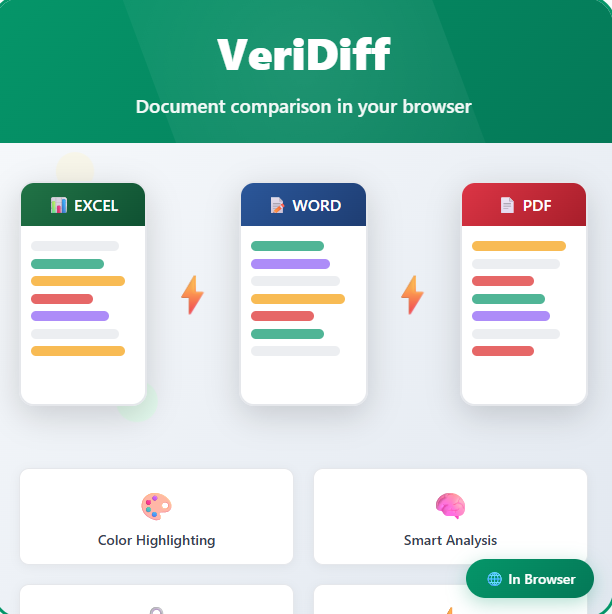 VeriDiff▲13
Document comparison in your browser - Excel, Word, PDF, CSV
2025 · veridiff.com · its alternatives →
- 21

- 22DT
DiffPlug is a notepad replacement, text differ, Simulink viewer, Simulink differ, image differ, Amazon S3 client, and much more!
2012 · diffplug.com · its alternatives →
- 23

🌱 TDF - Tree Document Format - a universal file format for web collections - DO-SAY-GO/tdf
2022 · github.com · its alternatives →
- 24PD
2019 · diff.intrinsic.com · its alternatives →
Also compare
Ranked by how close each launch is in meaning, then by votes. Prices were read from each product’s own site when checked and can change. Refine with your own description →