
Default Folder X
Enhances the Open/Save dialogs in all of your applications
Default Folder X launched on September 9, 2017 with 75 votes, #607 of 3,073 launches that month and more than 75% of that year's launches. The site was still online in September 2026, 9 years on.
What it does
Default Folder X lets you... Go faster: Quickly navigate through folders with hierarchical menus that expand as you mouse over them. Do it all: Preview, tag, rename, compress, delete or add comments to files in any Open or Save dialog. Just click: Need to save a file in a folder you have open in the Finder? Just click on the Finder window!
Does a similar job
all alternatives →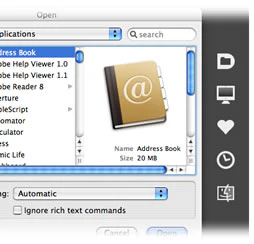




More work this month
the category →
Endless lofi beats composed live in your browser, over pixel-art nights in Paris, Tokyo, New York, Hong Kong, Sydney, San Francisco and more. Free, no sign-up.
Work · 24d ago · loficities.com
 Smooth Recorder▲257
Mac screen recordings that look edited when you hit stop
Work · 18d ago · smoothrecorder.com


Work · 12d ago · readrare.com
Source: Product Hunt launch ↗
Launched alongside, September 2017
the whole month →
 Sublime Text 3.0▲1,273
The long awaited version 3 of the popular code editor
Dev tools · 2017 · sublimetext.com



The definitive database of YC companies with all the metrics
Growth · 2017 · ycdb.co
