
Glassboard – Draw over everything on your Mac, Khan-academy style
I built and released a Mac app I always wanted to exist: Glassboard let's you draw over anything on your Mac, across every app and every screen, Khan-academy style! Hold a keybind and draw. Release and it fades away. That's all! (well, except colors, shapes, a radial menu switcher and keybinds galore). But the basic concept is simple hold, draw, release, continue presenting without losing flow. Made for frequent screensharers and content creators. No more wiggling my mouse pointer at what I want to highlight while screensharing. Try it at https://stem.ps/glassboard. It's…
Glassboard – Draw over everything on your Mac, Khan-academy style launched on June 18, 2026 with 6 votes, #2,066 of 22,647 launches that month and more than 75% of that year's launches.
What it does
Glassboard let's you draw over anything on your Mac, across every app and every screen, Khan-academy style! Hold a keybind and draw. Release and it fades away. That's all! (well, except colors, shapes, a radial menu switcher and keybinds galore). But the basic concept is simple hold, draw, release, continue presenting without losing flow. No more wiggling my mouse pointer at what I want to highlight while screensharing. Try it at https://stem.ps/glassboard. Completely free and will stay that.
Hold a shortcut to draw freehand lines and shapes over whatever you
Glassboard lets you scribble over anything on your Mac. Hold a shortcut to draw, release and your ink fades away — perfect for demos, screen shares, and teaching. An annotation layer that's only ever one key press away — and out of your way otherwise. Hold a global shortcut and drag to draw over anything on screen — slides, demos, code, the desktop. Temporary by design. Your strokes disappear, once you let go. Pink, lime, yellow, turquoise, and orange — Make your message stand out. Freehand pen, arrow, rectangle, and ellipse, with adjustable thickness. Glassboard draws on a transparent overlay across apps on every display, without stealing focus from the app underneath. Keep presenting,…from stem.ps
In the maker’s words, at launch
I built and released a Mac app I always wanted to exist: Glassboard let's you draw over anything on your Mac, across every app and every screen, Khan-academy style! Hold a keybind and draw. Release and it fades away. That's all! (well, except colors, shapes, a radial menu switcher and keybinds galore). But the basic…
Does a similar job
all alternatives → HUD-like live annotation and sketching app for macOSOct 2025 · draw.wrobele.com · ▲56
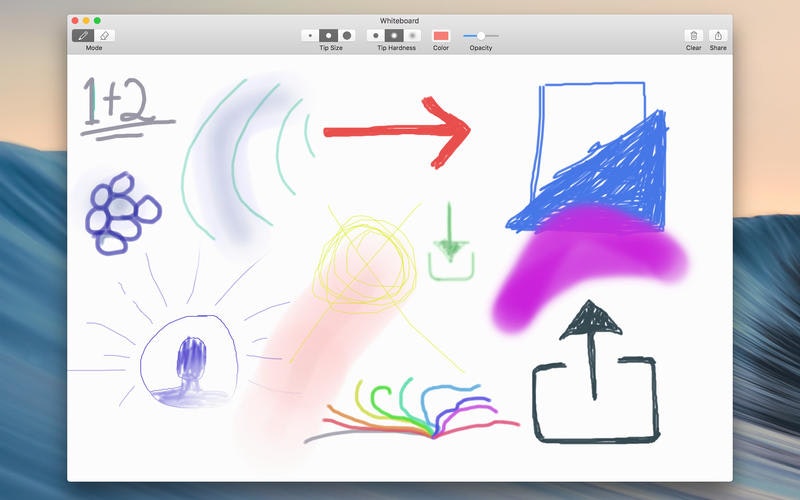
Hey all! I'm happy to announce we've finally released our 2nd macOS app, Draw Over It, a tiny desktop app that enables drawing, highlighting, or annotating directly on top of anything on your Mac. I've always wanted something like this for instant and unobtrusive sketching and annotation for pair programming and demos. I always found the standard web-based diagram and drawing tools a bit too cumbersome. So we built a simple overlay that could appear over any window or app with one shortcut. It doesn't collect any user data and doesn't require any system permissions - it's sandboxed. It all…



More work this month
the category →
Endless lofi beats composed live in your browser, over pixel-art nights in Paris, Tokyo, New York, Hong Kong, Sydney, San Francisco and more. Free, no sign-up.
Work · 26d ago · loficities.com
 Smooth Recorder▲257
Mac screen recordings that look edited when you hit stop
Work · 20d ago · smoothrecorder.com


Work · 14d ago · readrare.com
Source: Show HN post ↗ · launch text quoted in part
Launched alongside, June 2026
the whole month → Fundraisly▲1,537
AI fundraising agent that finds investors and books meetings
AI · Jun 2026 · fundraisly.com
 Homebrew 6.0.0▲1,481
Today, I’m proud to announce Homebrew 6.0.0. The most significant changes since 5.1.0 are a new tap trust security mechanism, the new faster, smaller, default internal Homebrew JSON API, sandboxing on Linux, better defaults informed by our user survey, many brew bundle improvements, improved performance and initial support for macOS 27 (Golden Gate). Happy to discuss any questions here!
Dev tools · Jun 2026 · brew.sh

Hi HN! I was super frustrated at apps like tiktok and wechat preventing me from saving or downloading the animated gifs, so I made a little tool to turn a screen recording into a slack-sized emoji. Hope you get some value from this!
Life & fun · Jun 2026 · vorpus.github.io


Search 18 years of Hacker News and chart how any topic, tool, or person trended. Overlay terms to compare their rise and fall across 45M posts and comments.
Life & fun · Jun 2026 · hackernewstrends.com