Work · alternatives · 2026

24 alternatives to Accelerator Keys
Use Windows alt-key shortcuts in Mac Excel
Below are 24 products that do a similar job, ranked by how close each is in meaning and then by launch-day votes. Accelerator Keys launched in 2021; newer entries below may have overtaken it.
- 1

Access Alt keys for Excel and PowerPoint on Mac
2024 · getformato.com · its alternatives →
- 2
 CheatSheet▲982
View Mac keyboard shortcuts in the current application
2015 · mediaatelier.com · its alternatives →
- 3

An interactive tool for the top Excel Shortcuts for Mac & PC
2017 · goskills.com · its alternatives →
- 4
 Use The Keyboard▲111
Keyboard shortcuts for Mac, Windows, and web apps
2019 · usethekeyboard.com · its alternatives →
- 5
 ShortieCuts▲61
Excel (ALT-Key) shortcuts for Google Sheets
2023 · chromewebstore.google.com · its alternatives →
- 6

- 7
 WindowKeys 3.0▲125
Hello, I’ve just released version 3.0 of WindowKeys, a small utility for macOS that gives you full control over the native window tiling system introduced in macOS Sequoia. Originally, WindowKeys was built to solve one very specific problem: assigning custom keyboard shortcuts to window tiling actions — especially useful if you use a third-party keyboard that can’t trigger system shortcuts. Over time it evolved beyond just shortcuts, and now 3.0 adds a few frequently requested features: - Move windows between displays (or iPad) - Repeat last tiling action for each app - Redesigned Shortcut…
2025 · apptorium.com · its alternatives →
- 8
 Keysmith▲207
Create custom keyboard shortcuts for your Mac and the web
2020 · keysmith.app · its alternatives →
- 9

Give each of your Mac's spaces a name and menubar icon or 😀
2021 · currentkey.com · its alternatives →
- 10
 Switch▲135
Keyboard-driven commands to navigate your apps faster
2019 · get-switch.app · its alternatives →
- 11
 Switch for macOS▲174
Keyboard-driven commands to navigate your mac apps faster.
2021 · get-switch.app · its alternatives →
- 12

Windows alt-tab on macOS . Contribute to lwouis/alt-tab-macos development by creating an account on GitHub.
2019 · github.com · its alternatives →
- 13

- 14

Hi everyone, ShowMeYourHotKeys is a macOS application I worked for the last months. This app shows the frontmost app's menu items shortcuts (it also have some other features) There is a beta version available on the website. Accessibility permission is necessary to obtain menu items informations and Full disk Access is necessary to create custom shortcuts. I would love to hear all the feedbacks and suggestions. Thank you for your attention.
2022 · showmeyourhotkeys.moxadventu.com · its alternatives →
- 15

- 16

AI shortcuts for fixing grammar, translating and coding
2025 · smartkeys.so · its alternatives →
- 17

Quickly manage open windows in Mission Control on the Mac
2019 · fadel.io · its alternatives →
- 18

Important and Hidden Shortcut keys
2022 · excelophy.gumroad.com · its alternatives →
- 19

- 20
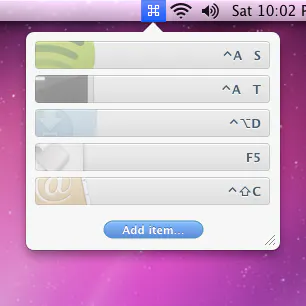 Apptivate▲126
Launch Mac apps with custom keyboard shortcuts
2016 · apptivateapp.com · its alternatives →
- 21

Apple’s Shortcuts App – now available on macOS Monterey
2021 · apple.com · its alternatives →
- 22

- 23

Turn CapsLock into a Super Key & Boost Productivity
Feb 2026 · hypercaps.auramark-studio.com · its alternatives →
- 24

Hey HN, As a Software Engineer, I frequently copy and paste content. The fact that macOS clipboard buffer can keep only one item is very frustrating. It’s very annoying to copy → switch app → paste → switch app → copy → switch app → paste, and so on. Losing items I copied hours ago and having to find and copy them again is a waste of time. I tried many third-party clipboard managers like Alfred, Raycast, Paste, Maccy, etc. While great, they didn't fully meet my needs. As a developer, my requirements are: 1. Keyboard-centric operation to avoid using the mouse. I don’t want to waste my time…
2024 · clipbook.app · its alternatives →
Also compare
Ranked by how close each launch is in meaning, then by votes. Prices were read from each product’s own site when checked and can change. Refine with your own description →