Work · alternatives · 2026

24 alternatives to Address Scanner
Scan mailing labels, checks, cards & save contacts instantly
Below are 24 products that do a similar job, ranked by how close each is in meaning and then by launch-day votes.
- 1
 Cards▲119
A simple, accurate business card scanner
2018 · fahrradtechnik-kubik.at · its alternatives →
- 2

An intelligent business card scanner powered by AI
2022 · smudge.app · its alternatives →
- 3
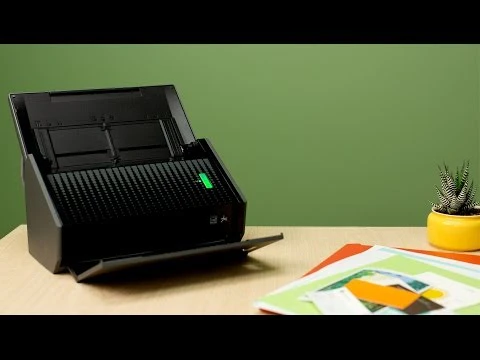 ScanSnap Scanner ▲84
Press a button to scan business cards, photos, & more
2015 · evernote.com · its alternatives →
- 4

Scan cards ≡ in a second and manage them everywhere ☁
2017 · pdf.abbyy.com · its alternatives →
- 5

- 6

- 7

Scan documents and digitize them flawlessly on your Mac
2020 · apps.apple.com · its alternatives →
- 8
 ScanPost▲106
ScanPost lets you scan, print, and mail documents worldwide.
2017 · apps.apple.com · its alternatives →
- 9

Scan and save business cards to your contacts
2016 · apps.apple.com · its alternatives →
- 10

Bye bye business card chaos - collect all cards in one place
2024 · spreadly.app · its alternatives →
- 11
 CardSnap▲8
Scan business cards & QR codes into contacts with one tap
2025 · cardsnap.ae · its alternatives →
- 12

a business card scanner that can sync with address book, CRM
2019 · scanbuddy.ai · its alternatives →
- 13

- 14
 Doc Scan▲63
Help you scan and organize hundreds of documents efficiently
2019 · apps.apple.com · its alternatives →
- 15

Scan and recognize multipage documents in PDF or JPG
2015 · pdf.abbyy.com · its alternatives →
- 16

- 17

- 18

- 19

AI business card scanner & contact manager. Scan & sync.
Feb 2026 · play.google.com · its alternatives →
- 20
- 21

- 22
The perfect solution for scanning your important documents
2023 · play.google.com · its alternatives →
- 23

- 24

From cards to contacts instantly
Nov 2025 · pmademonium-card-scan.base44.app · its alternatives →
Also compare
Ranked by how close each launch is in meaning, then by votes. Prices were read from each product’s own site when checked and can change. Refine with your own description →