Dev tools · alternatives · 2026

24 alternatives to Keyboard Shortcut Cheat Sheet
Build your own shortcut list per app — star & expor
Below are 24 products that do a similar job, ranked by how close each is in meaning and then by launch-day votes.
- 1

- 2
 CheatSheet▲982
View Mac keyboard shortcuts in the current application
2015 · mediaatelier.com · its alternatives →
- 3

Quickly create an image for any keyboard shortcut combo
2024 · monsterbrain.github.io · its alternatives →
- 4
 KeyCombiner▲80
Organize, learn and instantly look up keyboard shortcuts
2021 · keycombiner.com · its alternatives →
- 5
- 6

- 7

- 8

- 9
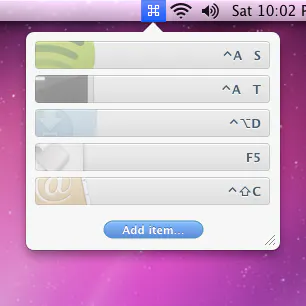 Apptivate▲126
Launch Mac apps with custom keyboard shortcuts
2016 · apptivateapp.com · its alternatives →
- 10

- 11
 Keysmith▲207
Create custom keyboard shortcuts for your Mac and the web
2020 · keysmith.app · its alternatives →
- 12
Master keyboard shortcuts of your favourite websites & apps
2022 · its alternatives →
- 13

Switch between apps and windows with keyboard shortcuts
2024 · apps.apple.com · its alternatives →
- 14

- 15Shorti▲11
Keyboard shortcuts app | find shortcuts for tools
2025 · shorti.craskey.com · its alternatives →
- 16

A keyboard for your Figma shortcuts
2023 · store.figma.com · its alternatives →
- 17
 TextExpander.com▲122
Keyboard shortcuts updated across all your devices
2016 · textexpander.com · its alternatives →
- 18

- 19

- 20
 Use The Keyboard▲111
Keyboard shortcuts for Mac, Windows, and web apps
2019 · usethekeyboard.com · its alternatives →
- 21
 KeyFlow▲115
Custom Adobe Photoshop shortcuts, no matter the keyboard
2025 · edgidesign.com · its alternatives →
- 22
 My Web Shortcuts▲105
Create custom shortcuts for the Web
2023 · mywebshortcuts.xyz · its alternatives →
- 23

- 24
 Shortcut Keeper▲114
Save the keyboard shortcuts you want to remember
2021 · shortcutkeeper.com · its alternatives →

Also compare
Ranked by how close each launch is in meaning, then by votes. Prices were read from each product’s own site when checked and can change. Refine with your own description →