
SpaceLauncher for Mac
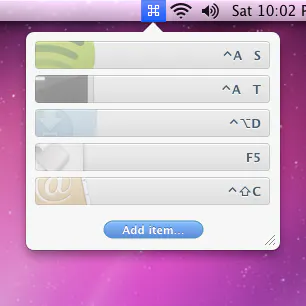
Hold spacebar while pressing a key to launch/switch apps
SpaceLauncher for Mac launched on May 20, 2017 with 178 votes, #182 of 3,229 launches that month and more than 90% of that year's launches. The site was still online in September 2026, 9 years on.
What it does
Hold Space, press a key, run an action. SpaceLauncher puts your everyday Mac shortcuts behind the Space key.
Even with Space set up for shortcuts, it still works as usual. Tap Space to type normally. Hold it and press a trigger to run a shortcut. SpaceLauncher tells the difference automatically . The catch: when you type fast, the next key often goes down before Space comes back up. General tools like Karabiner, Hammerspoon, and Keyboard Maestro can approximate pieces of that timing. SpaceLauncher is built around it. As you might expect, holding Space by itself waits for a shortcut instead of repeating spaces. To type several spaces in a row, hold Shift-Space. Apps that use hold-Space mouse gestures keep them. Hold Space, then click and drag to pan a Photoshop canvas as usual. If the hint window…from spacelauncherapp.com
Does a similar job
all alternatives →



More work this month
the category →
Endless lofi beats composed live in your browser, over pixel-art nights in Paris, Tokyo, New York, Hong Kong, Sydney, San Francisco and more. Free, no sign-up.
Work · 24d ago · loficities.com
 Smooth Recorder▲257
Mac screen recordings that look edited when you hit stop
Work · 18d ago · smoothrecorder.com


Work · 12d ago · readrare.com
Source: Product Hunt launch ↗
Launched alongside, May 2017
the whole month →


 Things 3.0▲757
Complete revamp of the original, award-winning task manager
Work · 2017 · culturedcode.com