
SnapShield AI
Redact screenshots — destroy pixels, don't just cover them
What it does
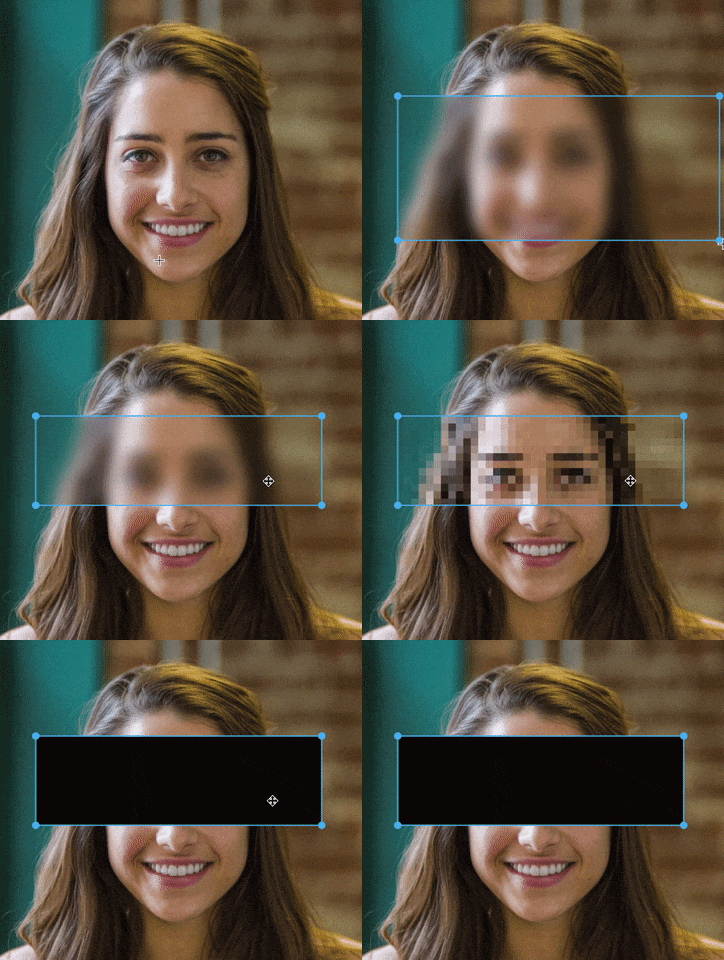
Most screenshot tools "redact" by painting over pixels — but blur and pixelation are reversible, and the original data can still be recovered. SnapShield actually destroys the pixels instead of masking them, so there's nothing left to reconstruct. Runs 100% locally on Windows — no upload, no account needed. Free tier is fully functional. Pro ($39, one-time, no subscription) adds AI-powered sensitive-data detection, batch export, and team branding presets.
SnapShield AI — annotate and redact Windows screenshots on-device. Redaction destroys the underlying pixels instead of blurring them, verified by pixel-level tests. Free tier, no expiry.
SnapShield AI is a privacy-first annotation and redaction editor for Windows. Blur faces, redact sensitive data, annotate anything — entirely on your device. No mandatory cloud, no subscription. Optionally share via your own Google Drive. Screenshots of the real Windows build — every redaction below was produced by the feature it illustrates, on-device, with nothing uploaded. Share the screenshot, not what is in it. Phone numbers, e-mails, card numbers, API keys and faces — found and covered in one pass, without the image leaving your machine. One pass. Only the sensitive parts. Everything that is not sensitive stays readable, so the screenshot still makes sense to whoever you send it to.…from nexoradia.com
Does the same job
all alternatives →


More work this month
the category →


The app store for voice native apps that lives in your notch
Work · 28d ago · voiceos.com

 The New Calendly▲211
Handle all of the work before, during, and after meetings
Work · 17d ago · calendly.com
Launched alongside, August 2026
the whole month →- TL
Life & fun · 10d ago · louisabraham.github.io

- SA
Hello HN! I found that picking out plausible but diverse skin tones for my digital art and game development projects was kind of difficult, and I got curious about if there was a way to define a color space that made it easy. I've built a color picker and procedural generation algorithm based on the space as well as a bunch of other fun js features and demos throughout the page that use the equations. If you find it interesting, I have lots of explanations of how I built it and what properties the space has. The methodology might be a bit shaky, but hopefully the result is as helpful for…
Life & fun · Aug 2026 · toneyalexander.github.io

I trained a 125M-parameter transformer to autocomplete piano performances in real time (~108 notes/sec on an iPhone 15). The idea is basically GitHub Copilot or Tabnine, except instead of prompting it with code, you prompt it by playing a few notes on a MIDI piano. The model then continues what you played, entirely on-device. The app is free if anyone wants to try it. Happy to answer questions about the model, training, Core ML, or the many things that didn't work.
AI · 17d ago · simedw.com