Life & fun · alternatives · 2026

24 alternatives to CoreFiles – File Manager
Scan a document. It's already filed. Tap. Scan. Done.
Below are 24 products that do a similar job, ranked by how close each is in meaning and then by launch-day votes.
- 1
 FileFillet▲176
Hi HN, I’d like to share FileFillet, a macOS app I created to help organize files more quickly. By setting up your favorite folders, you can quickly access them while dragging files (or folders) for copy/move operations, eliminating the need to navigate through multiple Finder windows just to move a file from A to B.
2025 · filefillet.com · its alternatives →
- 2

- 3

- 4
 DockDuck▲97
The native macOS file manager Finder should be
Aug 2026 · dockduck.app · its alternatives →
- 5
 NudgeFile▲96
Automatically organize, rename, and manage files with AI
Jun 2026 · nudgefile.com · its alternatives →
- 6
 Deta Surf▲340
Hi HN! We got frustrated with the fragmented experience of exploring & creating across our file manager, the web and document apps. Lots of manual searching, opening windows & tabs, scrolling, and ultimately copying & pasting into a document editor. Surf is a desktop app meant for simultaneous research and thinking to minimize the grunt work. It’s made of two parts: 1) A multi-media library where you can save and organize files and webpages into collections called Notebooks. 2) A LLM-powered smart document which you can auto-generate using the context from any stored page, tab or entire…
2024 · deta.surf · its alternatives →
- 7
 FolderPlus▲101
Peek inside any folder without opening it
Jun 2026 · apps.apple.com · its alternatives →
- 8

- 9

- 10

- 11
 Tidy▲98
Spotlight returns nothing for words you know are in a scanned document. It is not a bug: a scan has no text layer, so there is nothing to index. How to check, and three ways to make those documents searchable on a Mac.
Jul 2026 · tidymacapp.com · its alternatives →
- 12
 Folders▲125
The macOS file manager for (former) Windows users
2023 · foldersapp.dev · its alternatives →
- 13

Scan documents and digitize them flawlessly on your Mac
2020 · apps.apple.com · its alternatives →
- 14

My Downloads folder had been left unkept for a really long time and cleaning it up using Finder was quite cumbersome. So I started creating a simple app to help me filter out and delete or move the files in the folder. It started out very basic and the filtering options genuinely helped me clean out the Downloads folder, then as I thought of more features I would like to see in a file manager I started to add them. Some of the features are: - Fuzzy go to folder/file where you only need to write a few letters of a full path, get suggestions and can jump to the correct path instantly -…
Jul 2026 · whimfiles.com · its alternatives →
- 15

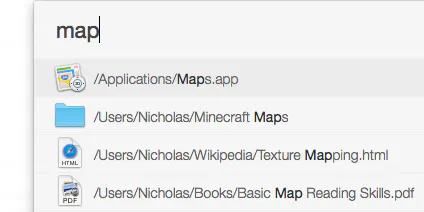
Quick access to recent files
2025 · apps.apple.com · its alternatives →
- 16
- 17
 ScanPost▲106
ScanPost lets you scan, print, and mail documents worldwide.
2017 · apps.apple.com · its alternatives →
- 18

- 19

- 20

https://freakynit.gumroad.com/l/downloads-director MacOS app that automatically moves downloaded files into folders based on their extensions. You can create custom rules (e.g., .jpg → Pictures) and apply them in real time or on-demand. It works in the background and supports both ARM and Intel Macs. Free to use. Feedback welcome! Thanks.. PS: No strings attached kind of free. No personally identifiable data is collected. Completely safe to use. Just something I built for myself, then polished it a bit for others to use.
2025 · freakynit.gumroad.com · its alternatives →
- 21
 QuickFiles▲12
Effortlessly access your files directly from the menu bar
2025 · apps.apple.com · its alternatives →
- 22
 RemoteDrive▲12
Manage your remote files seamlessly. within the finder
2025 · filezillapro.com · its alternatives →
- 23

Finder, reforged — a fast, native file manager for Mac
Jun 2026 · rescenedev.github.io · its alternatives →
- 24

Also compare
Ranked by how close each launch is in meaning, then by votes. Prices were read from each product’s own site when checked and can change. Refine with your own description →